

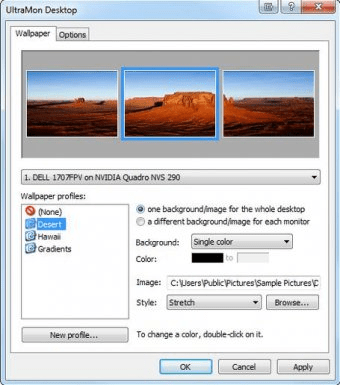
Ultramon is a tool designed to assist you in connecting multiple monitors to the same central unit. This program, thus, allows you to use two or more monitors simultaneously, so that you may run and conveniently display/control multiple tasks or applications at the same time. This piece of software also includes a smart taskbar feature, which gives you the possibility to efficiently manage the projects you are working on.
One of the main advantages of using this program consists in the customizable settings that it allows for several applications, in case some of their features or commands do not work properly. The customizable applications that Ultramon supports are Firefox, MSN/Windows Live Messenger, Netscape Browser, Timeslips by Sage, Video Studio Remote Debugging Monitor, WinSCP, as well as Xmanager. Additionally, this application includes a mirroring option, which helps users efficiently present the same display on more than one monitor. Ultramon also includes certain features designed for more advanced computer users. For example, it allows you to access Windows script files, such as VBScript or Jscript.
All in all, Ultramon is a handy tool for allowing you to use multiple-monitor systems at their full potential. Due to its sleek interface, its settings are highly accessible, so that you may work on your tasks in a timely manner.






Comments (1)